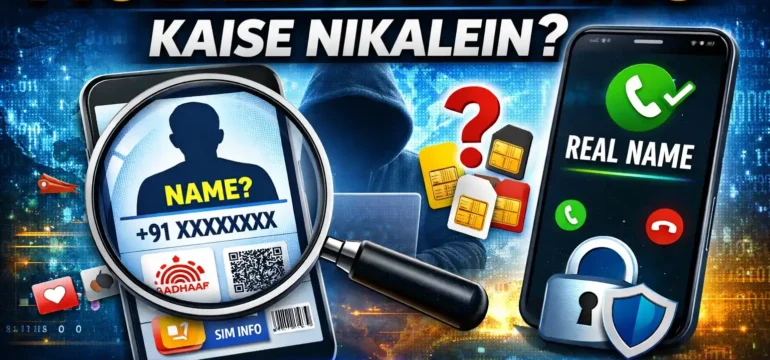

In today’s digital world, mobile numbers are connected to many important services such as banking, social media, government portals, and identity verification. Because of this, it has become very important to know how to verify mobile number ownership, protect personal information, and stay safe from cyber fraud.
The Government of India has also introduced several initiatives and rules to improve transparency and security for mobile users. In this article, we will explain how you can check information related to mobile numbers, protect your identity, download your Aadhaar card, and verify how many SIM cards are issued in your name.
1. How to Check Whose Name a Mobile Number Is Registered Under
Many people want to know the owner of a mobile number, especially when they receive unknown calls. However, due to privacy laws in India, the full personal details of a mobile number owner are not publicly available.
Here are some safe and legal ways to identify unknown numbers:
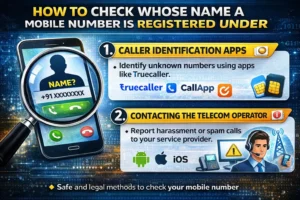
1. Caller Identification Apps
Some mobile apps help identify callers based on community databases. These apps may show the name associated with a number if it has been reported or saved by many users.
Examples include caller identification apps available on Android and iOS devices.
2. Contacting the Telecom Operator
If you are facing harassment, spam, or fraud calls, you can report the number to your telecom service provider. Telecom companies have access to the real owner details and can take action if required.
3. Filing a Complaint
In serious cases such as threats or fraud attempts, you can report the number to the cyber crime portal of India or contact your nearest police station.
Always remember that accessing someone’s personal details without permission through illegal methods can violate privacy laws.
2. New Government Rule: Caller’s Real Name May Be Displayed
The Government of India and telecom authorities have been working on improving transparency in phone calls. According to recent announcements, telecom operators are testing a system that may display the real verified name of the caller when someone receives a call.
The goal of this system is to:
-
Reduce spam and scam calls
-
Help users identify genuine callers
-
Improve trust in communication
This system is expected to use official KYC records linked with the mobile SIM. Once fully implemented, users may see the verified name of the caller instead of just a phone number.
However, the rollout may happen gradually as telecom companies test the technology and ensure user privacy protections.
3. How to Protect Your Personal Information
Personal data protection is extremely important today. Your mobile number, Aadhaar, and bank details should always be handled carefully.
Here are some simple tips to keep your information secure:
Avoid Sharing Sensitive Information
Never share OTPs, Aadhaar numbers, bank details, or passwords with unknown people.
Be Careful with Unknown Links
Fraudsters often send fake messages or links that look genuine. Avoid clicking on suspicious links received through SMS, WhatsApp, or email.
Use Strong Passwords
Always create strong and unique passwords for important accounts such as banking, email, and government portals.
Enable Two-Factor Authentication
Whenever possible, enable two-factor authentication (2FA) to add an extra layer of security.
Keep Your Devices Updated
Regularly update your phone’s operating system and apps to ensure the latest security protections are installed.
4. How to Download Your Aadhaar Card Online
The Aadhaar card is one of the most important identity documents in India. If you lose your Aadhaar card or need a digital copy, you can easily download it from the official government portal.
Follow these steps:
-
Visit the official Aadhaar website of the Unique Identification Authority of India (UIDAI).
-
Click on the Download Aadhaar option.
-
Enter your Aadhaar number, Enrollment ID, or Virtual ID.
-
Enter the captcha code shown on the screen.
-
Request an OTP on your registered mobile number.
-
Enter the OTP to verify your identity.
-
Download the Aadhaar PDF file.
The downloaded file is password protected and can be used as a valid digital identity document.
5. How to Check How Many SIM Cards Are Registered in Your Name
Many people are not aware that multiple SIM cards can be issued using their identity documents. To improve transparency, the Government of India introduced a portal where citizens can check how many mobile numbers are linked to their identity.
You can check this information through the Telecom Analytics for Fraud Management and Consumer Protection (TAFCOP) portal.
Steps to check SIM cards in your name:
-
Visit the official TAFCOP website.
-
Enter your mobile number.
-
Verify with the OTP received on your phone.
-
The system will display all mobile numbers registered under your identity.
If you find any unknown or unauthorized numbers, you can report them directly through the portal so that telecom authorities can investigate and take action.
6. How to Protect Yourself from Cyber Fraud
Cyber fraud has increased in recent years, especially through phone calls, fake messages, and phishing websites. Staying alert can help you avoid becoming a victim.
Common Cyber Fraud Methods
-
Fake bank calls asking for OTP or card details
-
Messages claiming prize money or lottery winnings
-
Fraudulent links pretending to be government portals
-
Fake customer care numbers
Safety Tips
-
Never share OTPs or banking details with anyone.
-
Always verify the official website before entering personal information.
-
Use only trusted apps from official app stores.
-
Report suspicious calls or messages immediately.
In India, cyber fraud can be reported through the national cyber crime reporting portal or by calling the cyber fraud helpline 1930.
Conclusion
Mobile numbers have become an essential part of our digital identity. Knowing how to verify information, protect personal data, and avoid cyber threats is very important for every mobile user.
By using official government portals, staying alert about suspicious calls, and following safe online practices, you can significantly reduce the risk of fraud and misuse of your identity.
Always remember that privacy and security should be your top priority when using mobile and internet services. Being informed and cautious is the best way to stay safe in the digital age.


Leave a Reply